Instructions
“All graphical assets in this template are licensed for personal and commercial use. If you'd like to use a specific asset, please check the license below.”
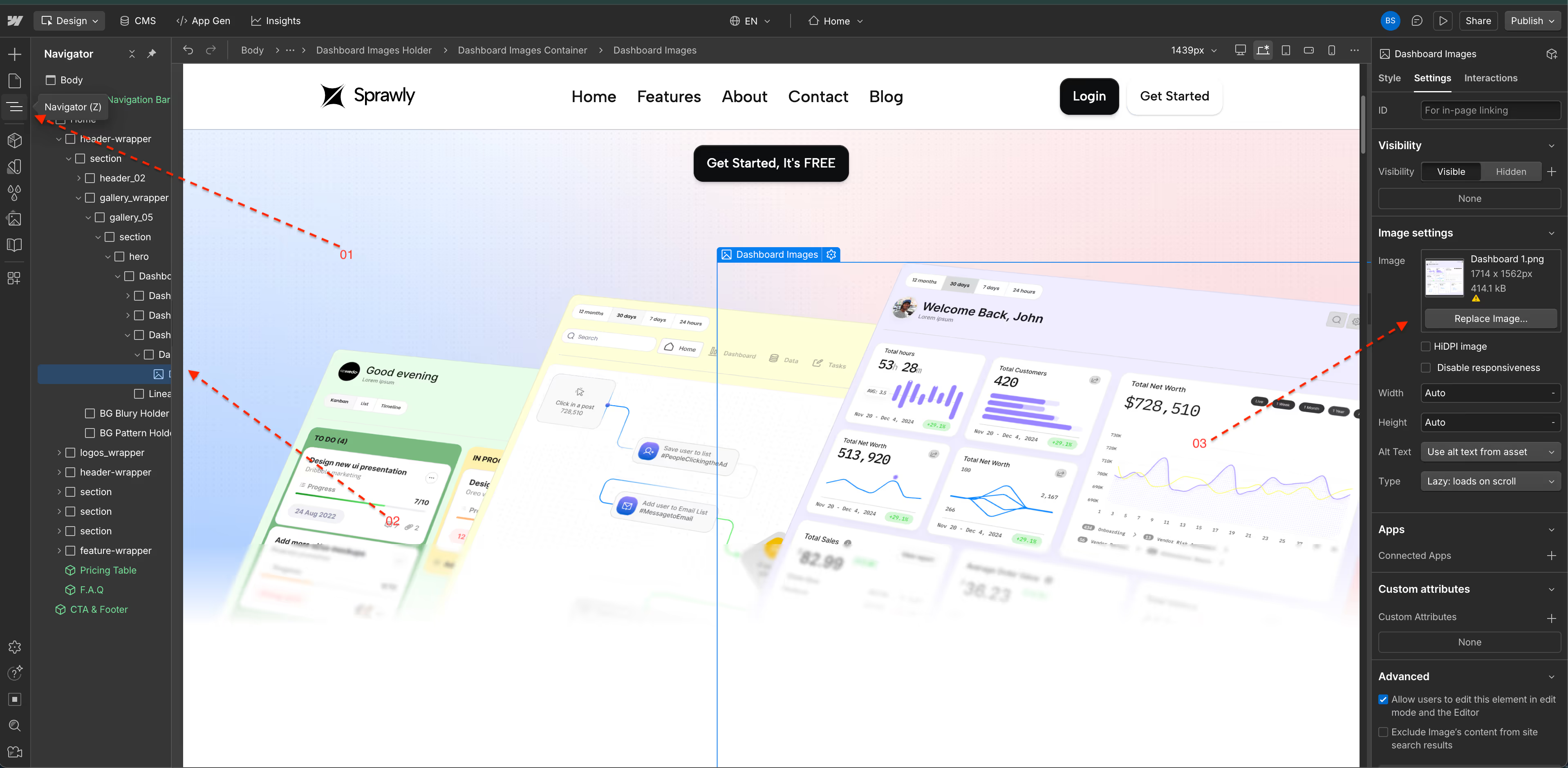
Changing Hero Dashboard Image- Step-by-Step Guide
1. Click the Navigator
2. Go to Dashboard Image
3. Update Dashboard Image with your Dashboard Image
Enjoy :)